

Quick answer: A simple resume template uses a single-column layout, clear section headings, a standard font, and plenty of white space, with little or no color and no graphics. It includes five core sections: contact information, a short summary, work experience, education, and skills. Simple templates are the safest choice for most jobs because recruiters can scan them in seconds and applicant tracking systems (ATS) can read them without errors. Below you'll find copy-and-paste simple templates for experienced professionals, entry-level candidates, and career changers, plus a blank (empty) resume format.
There's a reason the little black dress never goes out of style. It's simple, it fits almost every occasion, and no one ever looked at it and thought, "Wow, that's trying too hard."
Simple resume templates work the same way. Fancy designs with icons, skill bars, and three shades of teal can look great on a template website, but they often confuse hiring software and distract from what actually gets you hired: your experience.
This guide explains what makes a simple resume template, when to use one, and gives you several free templates to copy, including a blank resume format you can fill in from scratch.
What Makes a Resume Template "Simple"?
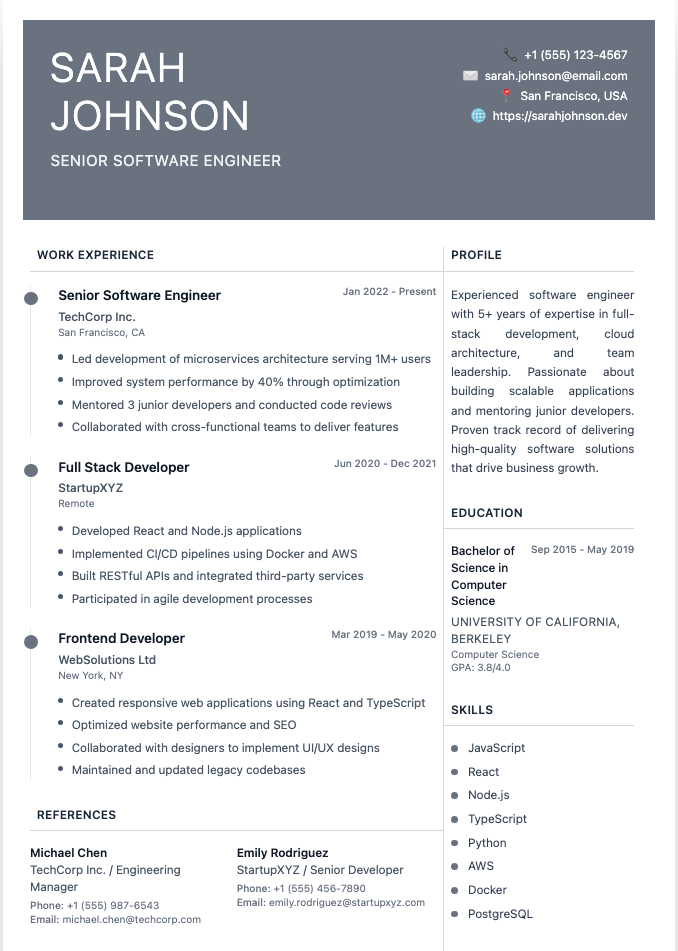
A simple resume template has:
- A single-column layout that reads top to bottom
- Standard section headings like "Experience," "Education," and "Skills"
- A clean, professional font such as Calibri, Arial, Helvetica, or Garamond at 10–12 pt
- Generous white space and 0.5–1 inch margins
- Minimal color: black text, maybe one accent color for headings
- No graphics: no photos, icons, charts, or skill rating bars
- Consistent formatting: the same date style, bullet style, and spacing throughout
Simple doesn't mean boring. It means the design gets out of the way so your accomplishments do the talking.
Why Use a Simple Resume Template?
- It passes the six-second scan. Recruiters skim first. Clear headings help them find your job titles and results instantly
- It's ATS-friendly. Most large employers use applicant tracking systems, which can scramble columns, tables, and text boxes. See the truth about ATS
- It works for almost any industry, from nursing and accounting to tech and retail
- It's fast to update. No fighting with text boxes when you add a new job
- It prints well and looks the same as a PDF, in Word, or in Google Docs
When might you skip a simple template? Graphic designers, illustrators, and some creative roles can use a more visual resume, though even then a simple version for online applications is smart. See creative resume examples.
Simple Resume Template #1: Classic (Experienced Professionals)
Best for anyone with a few years of experience in any industry.
[FULL NAME]
[Job Title] | [City, State] | [Phone] | [Email] | [LinkedIn]SUMMARY
[Job title] with [X] years of experience in [industry or specialty]. Skilled in [2–3 key skills]. [One standout achievement with a number].EXPERIENCE
[Job Title], [Company], [City, State] | [Month Year] – Present
- [Accomplishment with a measurable result]
- [Accomplishment with a measurable result]
- [Key responsibility that matches the target job]
[Job Title], [Company], [City, State] | [Month Year] – [Month Year]
- [Accomplishment with a measurable result]
- [Accomplishment with a measurable result]
EDUCATION
[Degree], [School], [Year]SKILLS
[Skill], [Skill], [Skill], [Skill], [Skill], [Skill]
Simple Resume Template #2: Entry-Level / Student
Best for students, recent graduates, and first-time job seekers. Education moves to the top, and projects or activities fill in for work history.
[FULL NAME]
[City, State] | [Phone] | [Email] | [LinkedIn or Portfolio]OBJECTIVE
[Motivated/Detail-oriented] [student/graduate] in [field] seeking a [job type] role at [Company]. Brings [skill], [skill], and [relevant experience].EDUCATION
[Degree or Diploma], [School], [Expected Graduation]
GPA: [3.5+, optional] | Relevant coursework: [Course], [Course]EXPERIENCE
[Part-time Job or Internship], [Company], [Dates]
- [What you did and a result]
- [What you did and a result]
PROJECTS AND ACTIVITIES
[Project, Club, or Volunteer Role], [Dates]
- [What you did and a result]
SKILLS
[Skill], [Skill], [Skill], [Skill]
See how to write a resume with no experience and entry-level resume examples.
Simple Resume Template #3: Modern Minimal
A modern twist: the same single column, with a short headline and a skills line near the top so keywords stand out immediately.
[FULL NAME]
[Headline, e.g., Customer Success Manager | SaaS | Retention & Onboarding]
[City, State] • [Phone] • [Email] • [LinkedIn]CORE SKILLS
[Skill] • [Skill] • [Skill] • [Skill] • [Skill] • [Skill]PROFESSIONAL EXPERIENCE
[Company] — [Job Title] | [Dates]
- [Result-focused bullet]
- [Result-focused bullet]
- [Result-focused bullet]
EDUCATION AND CERTIFICATIONS
[Degree], [School] | [Certification], [Year]
Need a headline? See resume headline examples.
Simple Resume Template #4: Skills-First (Career Changers)
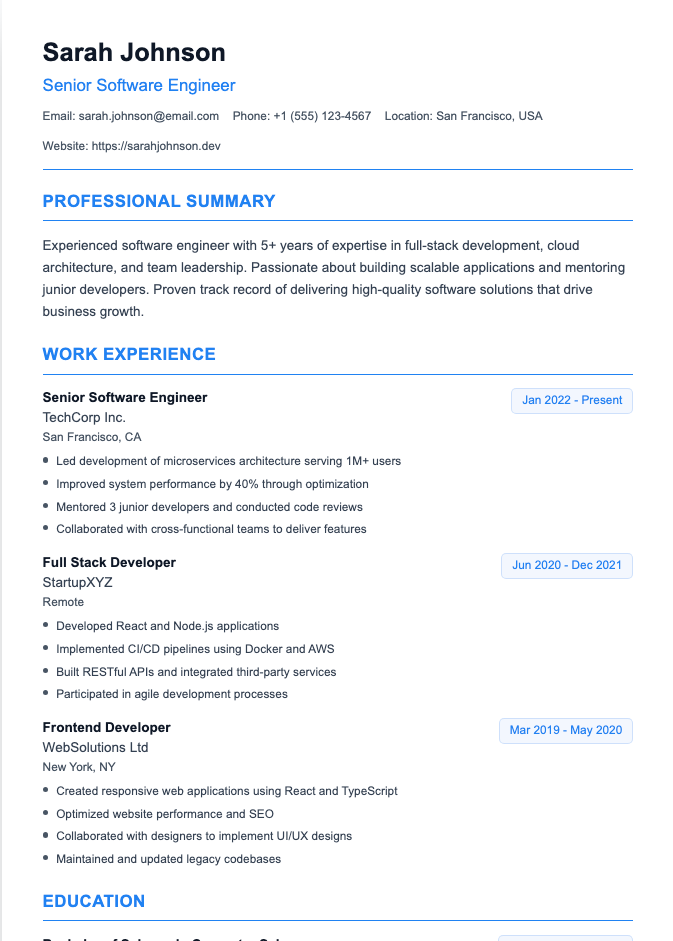
Best for career changers or people with gaps. It opens with transferable skills, then lists work history briefly.
[FULL NAME]
[Target Job Title] | [City, State] | [Phone] | [Email] | [LinkedIn]SUMMARY
[Current or past role] transitioning into [target role]. Brings [X] years of [transferable skill] and [transferable skill], plus [new training or certification].RELEVANT SKILLS
[Skill Area 1]: [Example with a result]
[Skill Area 2]: [Example with a result]
[Skill Area 3]: [Example with a result]WORK HISTORY
[Job Title], [Company] | [Dates]
[Job Title], [Company] | [Dates]EDUCATION AND TRAINING
[Certificate or course], [Provider], [Year]
[Degree], [School]
For more on this layout, see combination resumes and career change resumes.
Blank Resume Format (Empty Template)
Prefer to fill in a completely empty resume format? Here's the bare structure. Copy it into Word or Google Docs and replace each line.
NAME
Phone | Email | City, State | LinkedInSUMMARY
[Two to three sentences]EXPERIENCE
Job Title, Company, Location | Dates
- [Achievement]
- [Achievement]
- [Achievement]
EDUCATION
Degree, School | YearSKILLS
[Skill], [Skill], [Skill]CERTIFICATIONS / VOLUNTEER WORK / LANGUAGES (optional)
Not sure which order to use? See resume sections order.
How to Fill Out a Simple Resume Template
- Start with your header. Name, phone, professional email, city and state, and LinkedIn. Skip your full street address. See resume heading
- Write a two-to-three-sentence summary that names your role, experience, top skills, and one achievement. See how to write a resume summary
- List experience in reverse-chronological order, newest first, with three to five bullets per job
- Turn duties into results. "Answered customer emails" becomes "Resolved 60+ customer emails daily with a 95% satisfaction score." See resume bullet points
- Add skills that match the job posting, using its exact wording. See skills for resume examples
- Keep it to one page unless you have 10+ years of relevant experience. See one-page resume examples
- Save as a PDF with a clear file name like Firstname-Lastname-Resume.pdf
Simple Resume Mistakes to Avoid
- Using tables or text boxes to line things up. They look neat in Word and turn into alphabet soup in an ATS
- Cramming to fit one page. Shrinking the font to 8 pt and margins to 0.2 inches isn't "simple," it's a squint test
- Switching fonts mid-page. One font family, two sizes at most, plus bold for headings
- Leaving template placeholder text. "[Insert achievement here]" is a memorable achievement, just not the good kind
- Going so minimal it's empty. Simple design, rich content. Every bullet should earn its spot
Where to Find More Free Simple Resume Templates
- Microsoft Word: File > New > search "resume." See Microsoft Word resume templates
- Google Docs: Template gallery > Resumes. See Google Docs resume templates
- Our templates: browse clean, ATS-friendly designs on our templates page, or check out ATS-friendly resume templates
Frequently Asked Questions
What is the simplest resume format?
A single-column, reverse-chronological resume with five sections: contact information, summary, work experience, education, and skills. It's the most common and widely accepted format.
Are simple resumes better?
For most jobs, yes. Simple resumes are easier for recruiters to scan and for applicant tracking systems to read. Highly visual resumes can work for some creative roles, but a simple version is still safer for online applications.
Is a simple resume template ATS-friendly?
Usually, as long as it uses a single column, standard headings, real text (not images), and no tables, text boxes, or graphics.
What should a basic resume include?
Your name and contact details, a short summary or objective, work experience with achievements, education, and relevant skills. Optional sections include certifications, volunteer work, languages, and projects.
Can I use a simple resume template if I have no experience?
Yes. Use the entry-level template: put education first and use projects, volunteer work, school activities, and part-time jobs to show your skills.
What font is best for a simple resume?
Clean fonts like Calibri, Arial, Helvetica, Garamond, or Georgia at 10–12 pt for body text and 14–16 pt for your name.
Build a Simple Resume in Minutes
Skip the formatting headaches. Our Resume Builder gives you clean, ATS-friendly templates and helps you write strong bullet points, so your resume looks simple and reads impressive.