

Quick answer: To find a Windows Word resume template, open Microsoft Word, go to File > New, type "Resume" in the search box, and double-click a design. Replace the placeholder text with your details, then export a PDF. For applicant tracking systems, pick a simple, single-column template with standard headings.
Microsoft Word is where a huge number of resumes are born. It is also where many go to die, usually the moment you add one bullet point and the whole layout jumps to page two like it saw a spider.
This guide shows you where the built-in Microsoft Word resume templates live, which ones are worth using, how to make them ATS friendly, and how to save the final file without surprises.

How to Find a Windows Word Resume Template (Step by Step)
Word does not show resume templates on its opening screen, so a lot of people assume they are not there. They are. According to Microsoft's own support guide, the steps in Word for Microsoft 365, Word 2024, 2021, 2019, and 2016 on Windows are:
- Go to File > New.
- In the search box, type Resume (or Cover Letter).
- Double-click the template you want.
- Replace the placeholder text with your own information.
For more choices, go to File > New > Browse Templates and select Explore all templates. That opens Microsoft's online gallery, which runs in Word for the web.
On a Mac? The menu is File > New from Template, then search "resume." The templates themselves are the same idea.
Free Resume Templates in Word: What You Actually Get
Microsoft labels its online gallery as free customizable resume templates, and the built-in ones in desktop Word cost nothing extra if you already have Word. The current gallery includes options grouped by field, such as:
- Healthcare: "ATS healthcare resume," "Modern nursing resume"
- Management and finance: "ATS office manager resume," "ATS Bold accounting resume"
- Education: "ATS simple classic resume," "Stylish teaching resume"
- Design: "White minimalist graphic designer resume"
Several names now carry an "ATS" label, which flags the simpler layouts for you.
Which Word Resume Templates Are ATS Friendly?
Here is the honest part: pretty is not the same as parseable. An ATS reads your file as text. Anything that scrambles the reading order can cause problems.
A template is usually ATS friendly when it has:
- One column, read top to bottom
- Standard headings like "Experience," "Education," and "Skills"
- Contact details in the body, not inside the page header or footer
- No text boxes, icons, or skill bars carrying important information
- Real text, not text placed inside images or shapes
Watch out for tables. Microsoft notes that many of its resume templates use tables for layout. Simple tables often parse fine, but complex nested ones can come out jumbled. If you keep a table-based template, test it (see below).
Quick ATS test: Select all your text, copy it, and paste it into Notepad. If the sections come out in a logical order, you are in good shape. If your job title is sitting next to your hobbies, simplify the layout. For more on this, see our plain text resume guide and the truth about ATS.
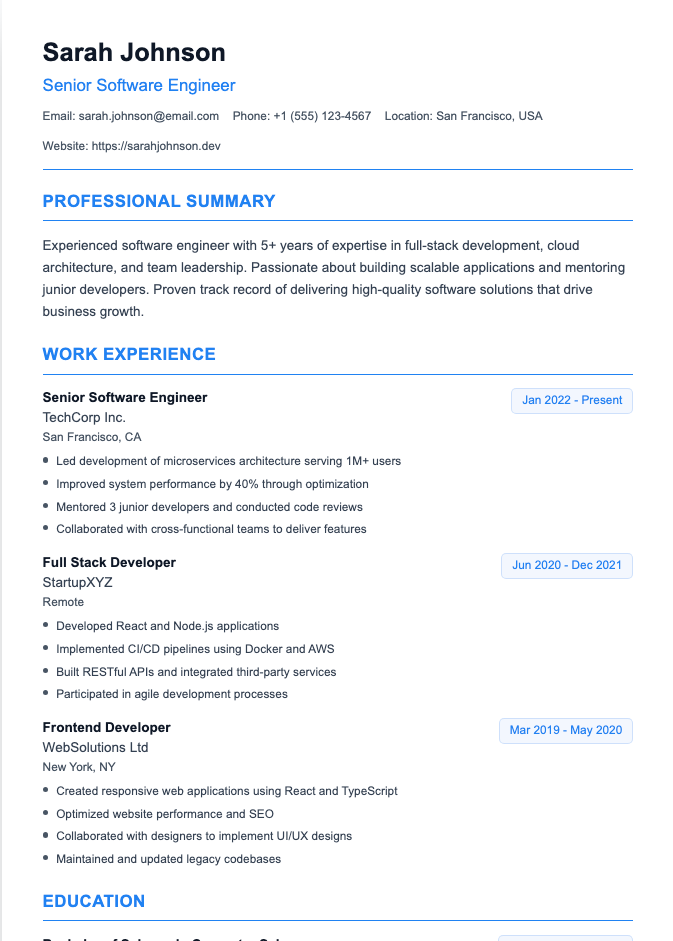
How to Customize a Word Resume Template Without Breaking It
Templates are fragile. They were designed for the placeholder person, who has exactly three jobs and perfectly sized bullet points. You are not that person. Nobody is.
- Turn on gridlines. If the template uses a table, go to the table Layout tab and select View Gridlines so you can see the cells you are editing.
- Add rows, not new tables. Microsoft's guide says to select the table, open the table layout tab, and use Insert to add rows for extra jobs or degrees.
- Hide borders. Go to Table Design > Borders > No Border for a clean look.
- Paste without formatting. Use Ctrl+Shift+V (or "Keep Text Only") so copied text adopts the template's font instead of whatever your old resume used.
- Keep fonts readable. Body text between 10 and 12 points is a common range. Your name can be larger.
Not sure what order your sections should go in? Our guide to resume sections order covers that.
What Happened to Resume Assistant in Word?
Older tutorials mention a Resume Assistant pane powered by LinkedIn. Microsoft retired it, and it was removed from Word on Windows, Mac, and the web in January 2023. Microsoft pointed users to its resume templates and LinkedIn's resume builder instead.
Today, the Word for the web gallery says you can chat with Copilot to polish or edit your resume, depending on your Microsoft 365 plan.
How to Save and Send Your Word Resume
- Name it clearly, for example LastName_FirstName_Resume. "resume_final_FINAL_v3.docx" tells the recruiter more than you want it to.
- Save a PDF with File > Save As (or File > Export in Word for the web) unless the employer asks for a Word file.
- Keep the .docx too. Some portals and recruiters specifically request Word documents, so follow the job posting's instructions.
If you are torn between Word and other tools, compare our Google Docs resume templates guide. If you want something more decorative, read about Etsy resume templates before you buy.
Frequently Asked Questions
Does Microsoft Word have free resume templates?
Yes. Word includes resume templates you can find under File > New by searching "resume," and Microsoft's online gallery describes its resume templates as free and customizable. You need access to Word, either the desktop app or Word for the web with a Microsoft account.
Are Microsoft Word resume templates ATS friendly?
Some are, and some are not. Microsoft now labels several templates with "ATS" in the name. As a rule, single-column templates with standard headings and no text boxes or graphics are the safest choice, and you should always run a quick copy-paste test.
Where are resume templates in Word for Windows?
Open Word, select File > New, and type "Resume" in the search box. For the full online collection, go to File > New > Browse Templates and choose Explore all templates.
Should I send my resume as a Word document or a PDF?
Send a PDF by default because it preserves your formatting. If a job posting or recruiter asks for a .docx file, send the Word version instead. Always follow the employer's instructions.
How do I add more jobs to a Word resume template?
Most templates use a table, so click inside it, open the table Layout tab, and use Insert Below to add a row. Then copy the formatting from an existing job entry so everything matches.
Skip the Template Wrestling
Word templates work well if you are patient and keep the layout simple. If you would rather focus on the words than on fighting table cells, try our Resume Builder. It gives you clean, ATS-friendly layouts and AI help with your bullet points, so you spend less time nudging margins and more time applying.