

Quick answer: Knowing how to put references on a resume starts with one rule: in most cases, don't. Employers check references late in hiring, so list 3–5 contacts on a separate reference page matching your resume header with each person's name, title, company, phone, email, and relationship. Only add a resume reference section if the job posting asks.
Your resume has one job: get you the interview. Every line on it is prime real estate, and a list of your old boss's phone numbers is not the tenant you want in the penthouse.
Below, you'll learn when references on a resume make sense, where to put them when an application requires a resume with references, the exact format to follow, who to choose, and copy-ready templates.
Should I Include References on My Resume?
Generally, no. Here's why career coaches and recruiters recommend leaving them off your main references resume document:
- Space is limited. Most resumes work best at one or two pages. A references section often pushes you onto an extra page with nothing new to say about your skills.
- Timing. Employers typically contact references after a successful interview or right before making an offer, not while screening hundreds of applications.
- Privacy and control. Uploading real phone numbers and emails to job boards can expose your contacts to spam. Holding references back lets you warn and brief them first.
- It's expected. Employers assume you'll provide references when asked. Listing them up front doesn't add an edge.
When You Should Include a Resume Reference Section
There are a few exceptions where knowing how to put references on a resume directly pays off:
- The job posting asks for them. Always follow the employer's instructions. If they want a resume with references, include them on an attached page or at the bottom of your resume.
- Your industry or region expects them. Certain academic, government, consulting, or Australian/New Zealand roles still request referees with initial applications.
- An application form requires them. Many online portals have a dedicated references field.
If the posting says nothing about references, leave them off and keep a separate sheet ready.
What About "References Available Upon Request"?
Leave it out. This phrase used to be standard, but today it's widely considered redundant. Hiring managers already know you'll provide references if they ask, so the line just uses space you could spend on a skill or achievement.
Think of it this way: you wouldn't write "Willing to attend interview" at the bottom of your resume either.
Where Should I Put References on My Resume?
If you're wondering "where should I put references on my resume" or "where do you put references on a resume," follow the employer's lead:
- Standard applications: Put them on a separate reference page saved as its own file, and send it only when requested.
- When requested with your resume: Place them on a dedicated final page attached to your resume PDF, or in a "References" section at the very bottom after Education and Skills. For the order of other sections, see our guide to resume sections order.
How to Put References on a Resume (Step-by-Step Format)
Whether you send a standalone reference page or add a resume reference section, keep the formatting clean and consistent.
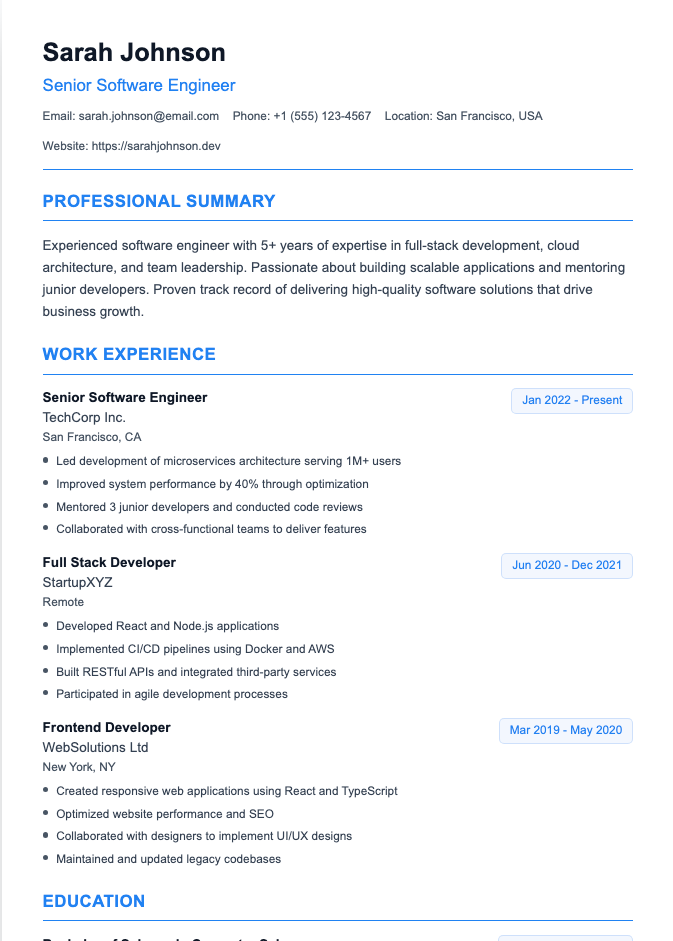
1. Match your resume's design
Use the same font, margins, header, and color scheme as your resume. It should look like page two of the same document, not a page borrowed from a different person's application.
2. Put your contact info at the top
On a separate reference page, repeat the same header from your resume: your name, phone, email, and LinkedIn URL. Then add a clear heading like "Professional References."
3. Include these details for each reference
- Full name
- Job title
- Company or organization
- Work address (city and state are enough; never list a personal home address)
- Phone number
- Professional email address
- Relationship (one short line: how you know them and for how long)
The relationship line is optional, but it helps the hiring manager see why each person's opinion matters.
4. Order them strategically
List three to five references, putting your strongest, most relevant reference first—usually your most recent direct supervisor.
Reference Page & Resume Reference Section Examples
Option 1: Separate Reference Page Example (Recommended)
ALEX MORGAN
Denver, CO | (555) 123-4567 | alex.morgan@email.com | linkedin.com/in/alexmorganPROFESSIONAL REFERENCES
Jordan Reyes
Operations Manager, Summit Logistics
Denver, CO
(555) 234-5678 | jordan.reyes@summitlogistics.com
Relationship: Direct supervisor at Summit Logistics, 2022–2025Priya Nair
Senior Project Coordinator, Summit Logistics
Denver, CO
(555) 345-6789 | priya.nair@summitlogistics.com
Relationship: Worked together on warehouse system rollout, 2023–2024Dr. Michael Chen
Professor of Supply Chain Management, Front Range University
Fort Collins, CO
(555) 456-7890 | m.chen@university.edu
Relationship: Academic advisor and capstone project supervisor, 2020–2022
Option 2: Compact On-Resume Reference Section
If an employer specifically wants references on the resume and space is tight, add a condensed "References" section at the very bottom:
REFERENCES
Jordan Reyes — Operations Manager, Summit Logistics (Direct Supervisor, 2022–2025)
(555) 234-5678 | jordan.reyes@summitlogistics.comPriya Nair — Senior Project Coordinator, Summit Logistics (Project Lead, 2023–2024)
(555) 345-6789 | priya.nair@summitlogistics.com
All names and contact details above are fictional placeholders. Replace them with your own references' information.
Who Should You List as References?
Most employers ask for three references. Senior candidates may be asked for up to five, so keep a couple of backups ready across three main categories:
- Professional references (the gold standard): Current or former supervisors, department leads, senior coworkers, or clients who know your work firsthand.
- Academic references: Professors, academic advisors, or mentors for students and recent graduates.
- Character references: Volunteer leaders or coaches if you're early in your career (see how to write a resume with no experience).
Avoid family members, friends, and anyone you had conflict with. A reference who says "Oh... that person" is not the energy you want.

How to Ask Someone to Be Your Referee (and Prepare Them)
Knowing how to ask someone to be your referee is just as important as formatting their details. Never list someone without permission. Before sharing their contact info:
- Ask if they're comfortable being a reference and give them an easy way to say no.
- Confirm their current title, email, and preferred phone number.
- Send them your resume and the job description so they know what to highlight.
- Tell them who might call and roughly when, giving at least a week's notice when possible.
- Thank them and let them know how the application turns out.
Our step-by-step guide on how to ask for a reference includes ready-to-send email templates. If a referee asks for a draft letter or you need to write one for a colleague, see how to write a reference letter.
Keep a Master Reference List
A practical habit that saves stress later: keep a master reference list in a document you update every few months. Note each person's current title, company, and preferred contact method. People change jobs and email addresses, and finding that out during a final-round reference check is a special kind of panic.
Then, for each application, pick the two or three most relevant names from your master list rather than sending the same people every time.
Frequently Asked Questions
Should I put references on my resume?
Usually not. Keep references on a separate page and share them when the employer asks, unless the job posting specifically requests them with your application.
Where do you put references on a resume?
If an employer asks for them on the resume, put them at the very end in a "References" section after Education and Skills. Otherwise, use a separate reference page with the same header and design as your resume.
Is "references available upon request" still necessary?
No. Employers assume you'll provide references when asked, so the phrase only takes up space. Use that line for a skill, certification, or achievement instead.
How many references should I have?
Three to five is the standard. Most employers ask for three, while senior or academic roles may ask for more, so keep a few backups on your master list.
What information should I include in a resume reference section?
Include each person's full name, job title, company, work city and state, phone number, professional email, and a short line about your working relationship. Never include personal home addresses.
Can I list someone as a reference without asking?
No. Always ask permission before sharing a referee's contact details so you can verify their current info and brief them on the role.
Can I use a coworker or friend as a reference?
Avoid personal friends and family. If a friend was also your supervisor, team lead, or coworker, focus strictly on that professional relationship.
Build the Resume First
References matter at the finish line, but your resume gets you onto the track. Use our Resume Builder to create a clean, one-page resume, then build a matching reference page in the same style. For more page-length guidance, check our one-page resume examples.